Asks before it sends
The first time a lane would go to a cloud provider, Kobito asks. Apple’s on-device model, the default, sends nothing.

Kobito runs a crew of AI agents side by side on your iPhone, iPad and Mac. Dump everything on your mind: each task gets its own lane, they all start at once, and anything that touches your data waits for your OK.
Coming soon to the App Store for iPhone, iPad and Mac.
Write down everything at once and Kobito sorts it into lanes that work at the same time. The Now screen puts the one next thing that needs you at the top, and the rest keeps going.
Kobito leads a crew of helpers: Researcher, Planner, Drafter, Untangler, Daily Brief and Ahoy!. It hands parts of a job to the right agents, then sums it up. Add your own agent, with its own look, model and routine.
Anything that reads your personal info or changes your data waits for your OK. Set your own rules for each kind of step.
Emails, texts and posts open in Mail, Gmail, Outlook or your other apps. You press send.
With your permission, agents can use Calendar, Reminders, Contacts and your location, and nudge you with a notification when it is time.
Lanes, crew and memory sync through your own private iCloud. A lane runs on one device, and the others follow it live.
Real screens from the app, on Mac and iPhone. Lanes at work, a crew handing jobs around, and every step that matters waiting for your OK.
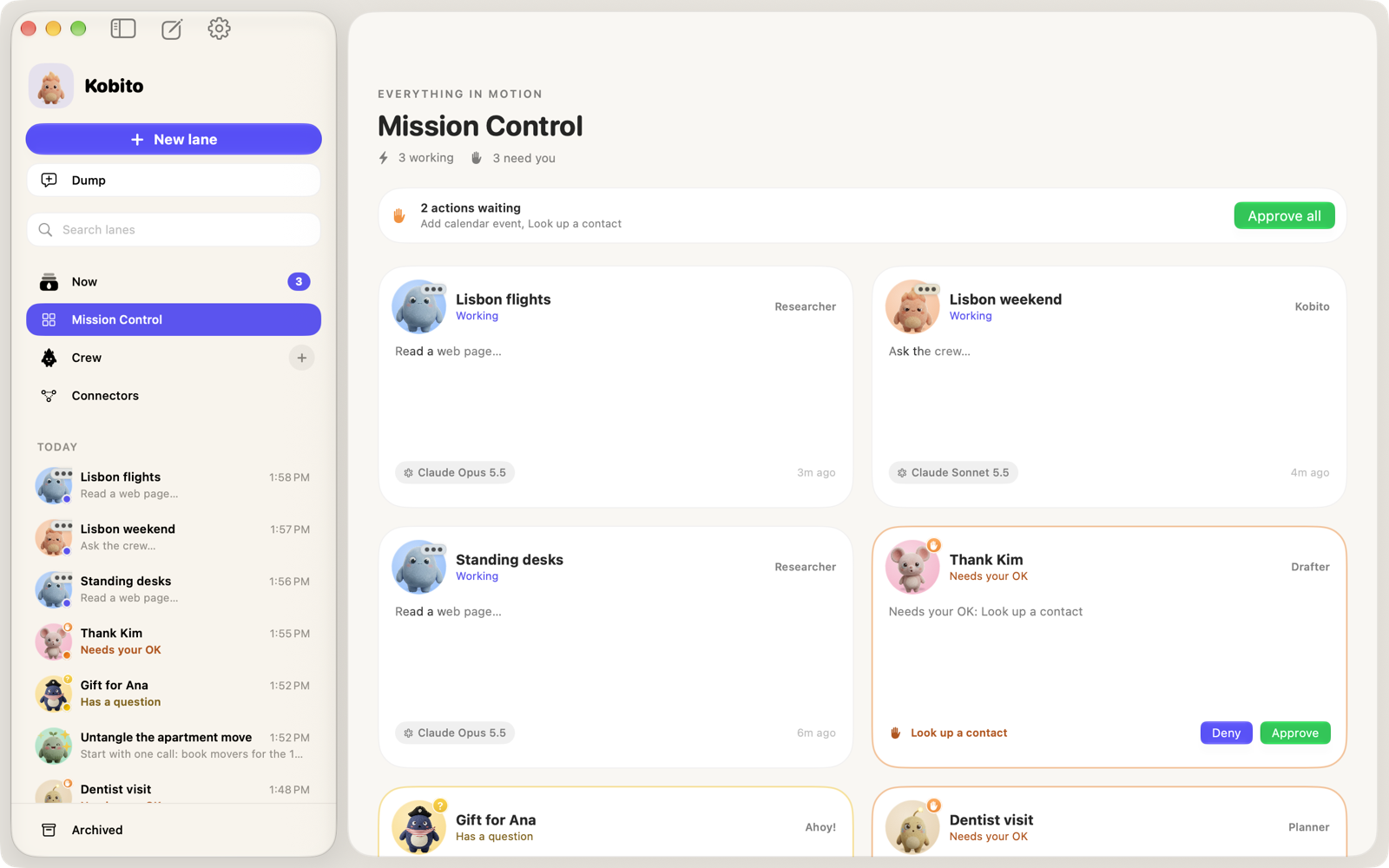
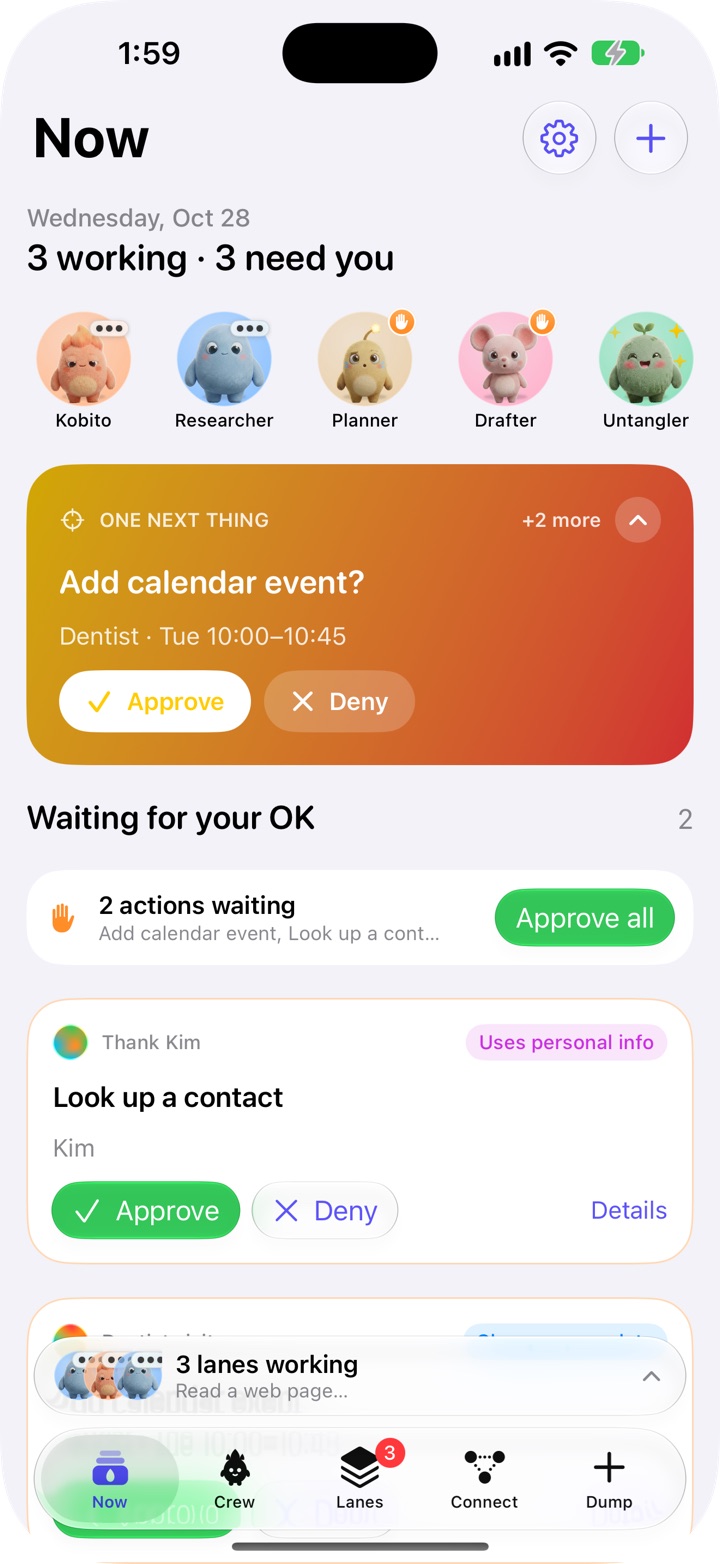
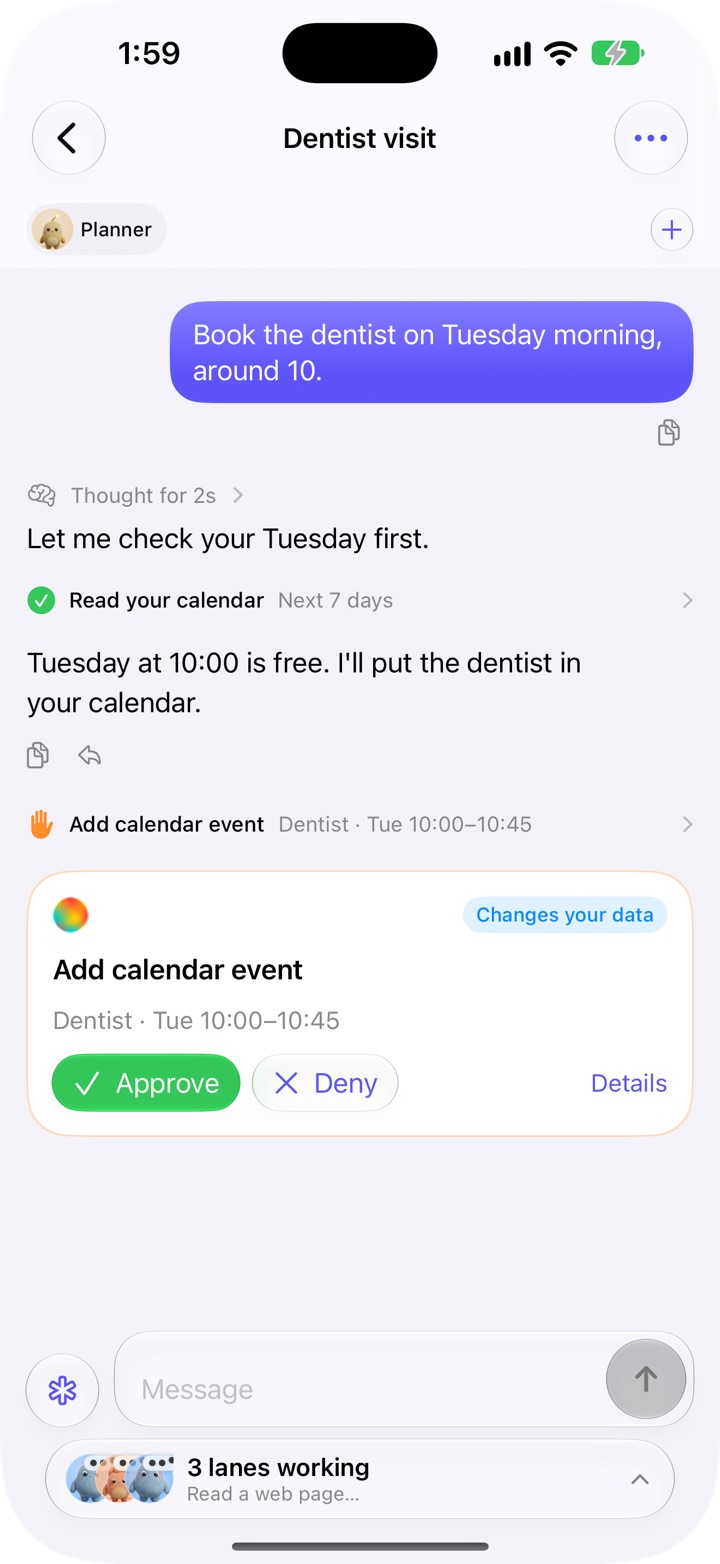
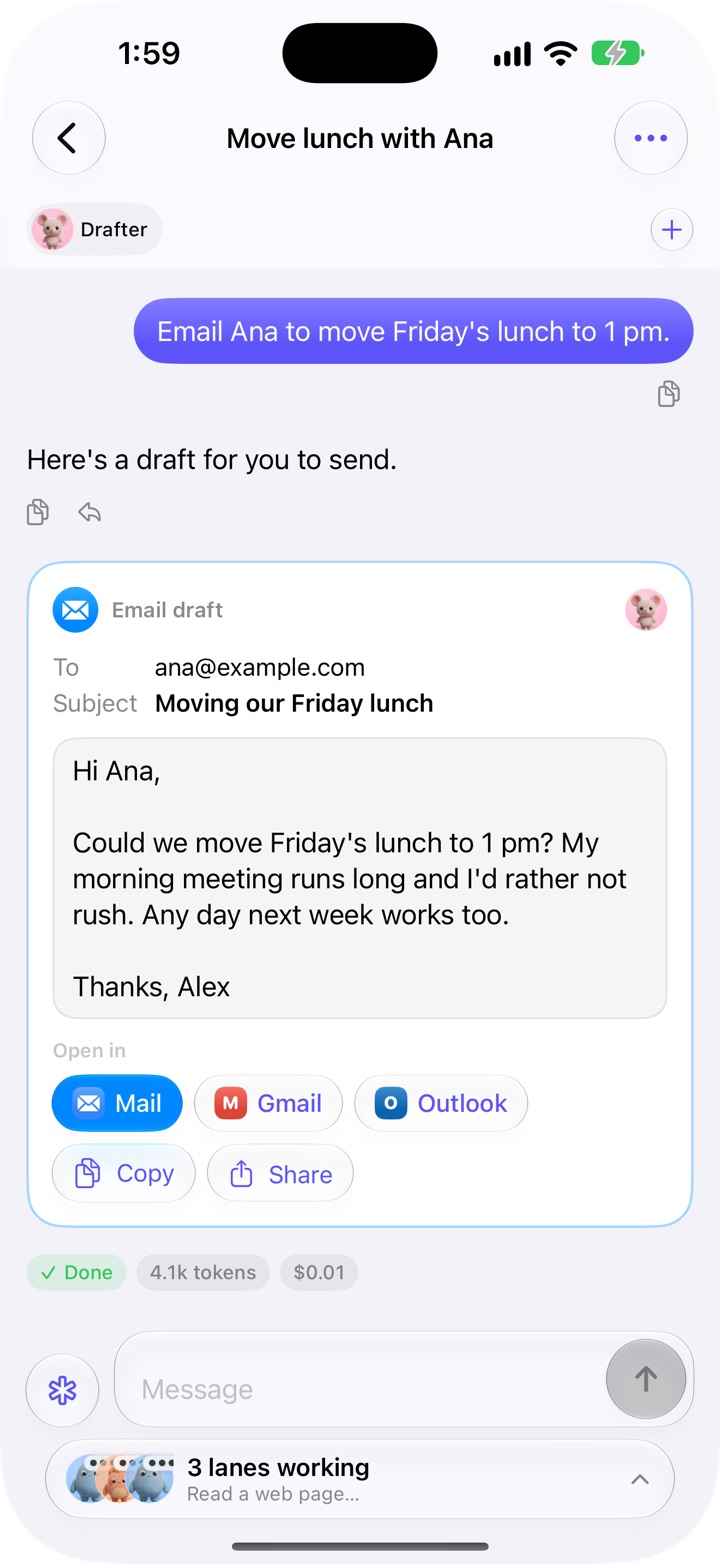
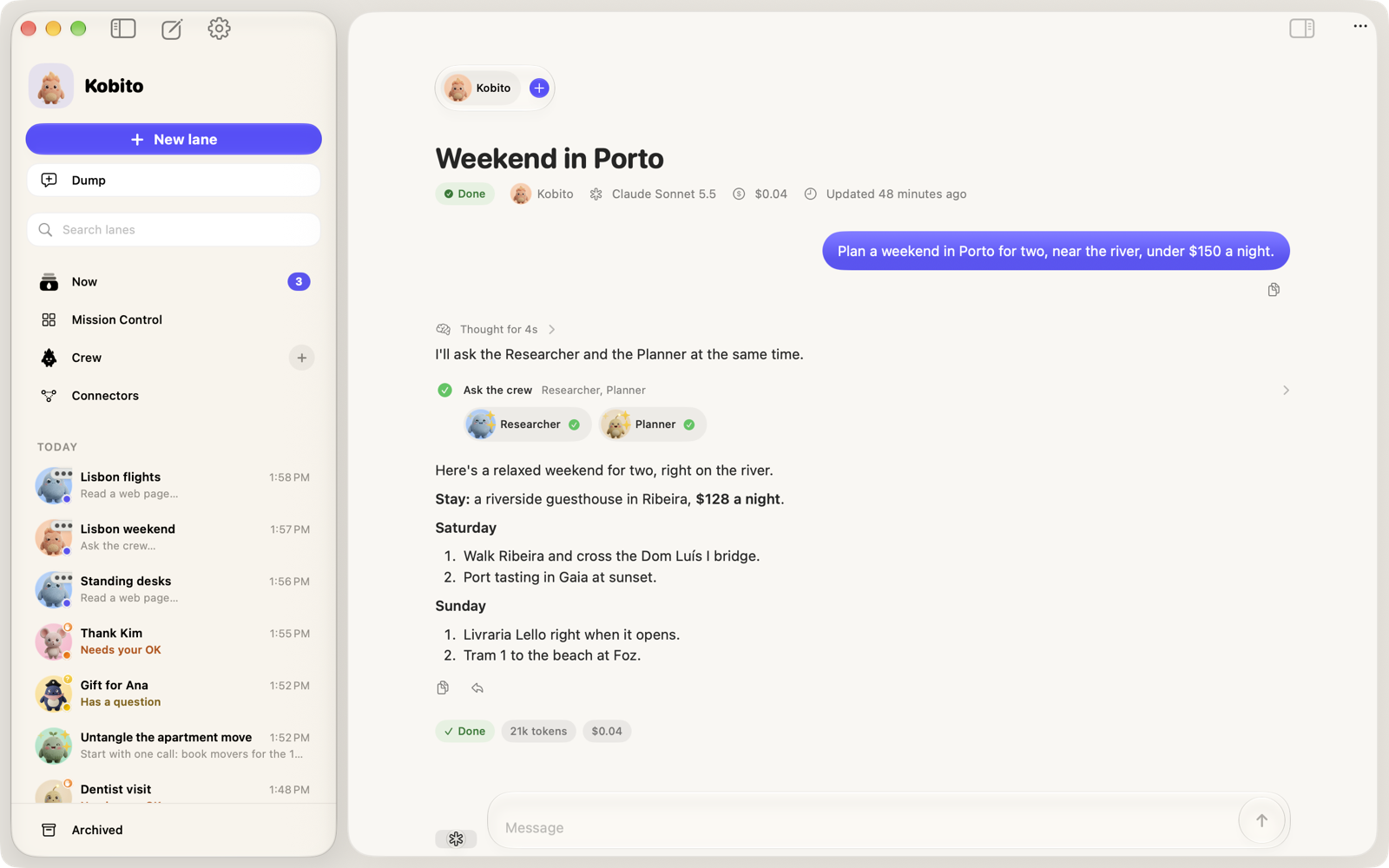
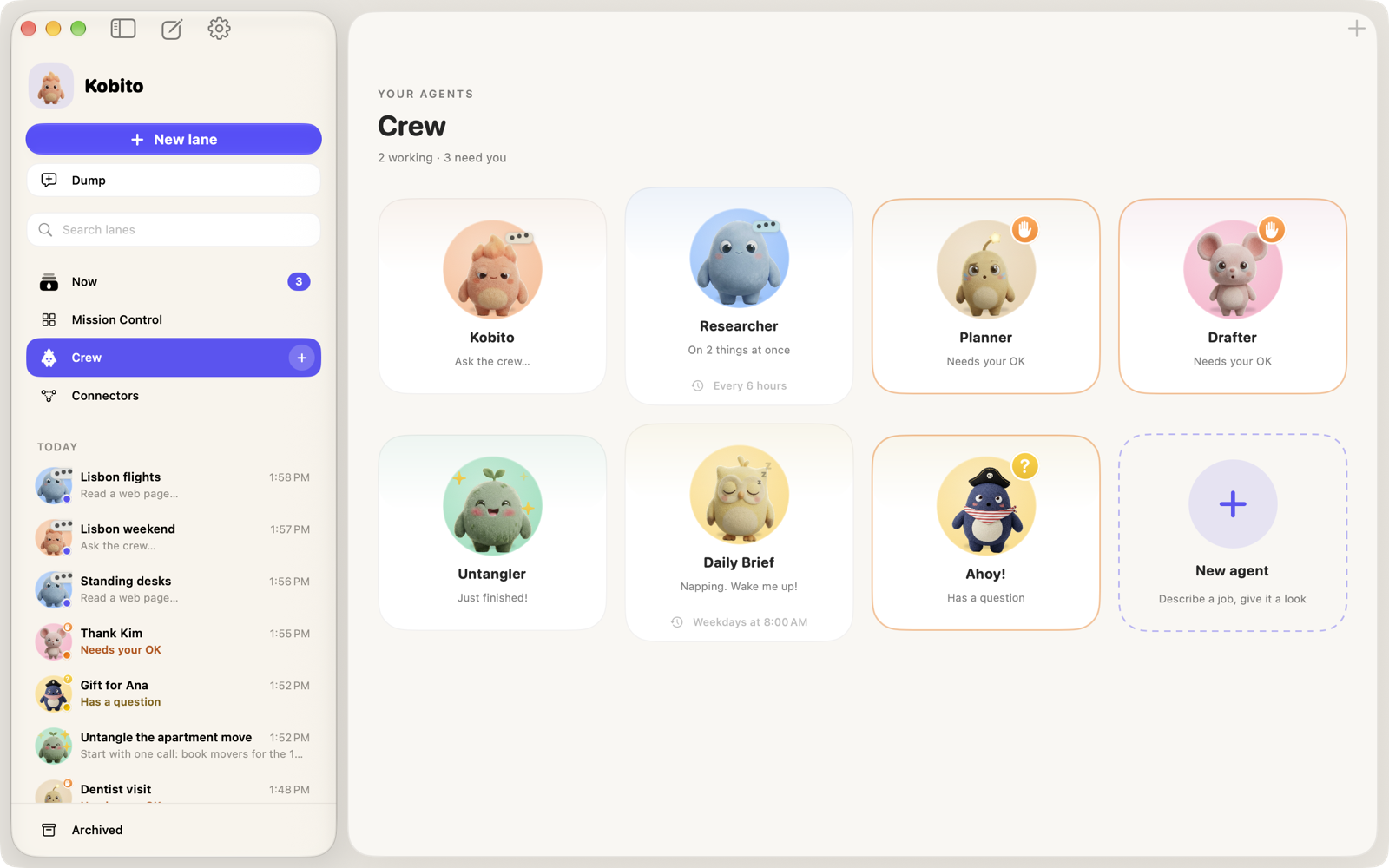
The people, places and tasks in these screenshots are invented for the demo.
Apple’s on-device model is the default. It costs nothing, and what you write never leaves the device.
Sign in to OpenRouter and pick any of its models, without copying a key.
Use your API key for Anthropic, OpenAI, Gemini, Groq, xAI, DeepSeek or Mistral, or point Kobito at Ollama or LM Studio. Each agent can use a different model.
Add any remote MCP server, or find one in the official MCP Registry. AI apps on your Mac, like Claude Desktop or Cursor, can hand work to your crew too.
Each agent runs on the model you pick:
There are no accounts, ads or analytics in Kobito. Your lanes live on your devices, and nothing goes to a cloud model until you say so.
The first time a lane would go to a cloud provider, Kobito asks. Apple’s on-device model, the default, sends nothing.
Lanes, crew and memory sync through the private iCloud database of your own Apple Account, not a server of ours.
API keys and server tokens are kept in the Keychain, and move between your devices through iCloud Keychain.
Kobito is coming soon to the App Store for iPhone, iPad and Mac.